
Social media has become an important part of how businesses build awareness, communicate with customers, and generate leads.
However, creating content consistently can be challenging.
One question businesses often ask is:
Should we invest more in short-form videos or static social media posts?
The answer depends on your goals, audience, industry, resources, and content strategy.
Short-form videos can capture attention quickly and demonstrate products, services, and ideas through motion. Static posts, meanwhile, can communicate information clearly and give audiences something easy to scan, save, and revisit.
Instead of choosing one format for every situation, businesses can use both strategically.
Let’s look at the differences between short-form video and static posts and understand when each format can add value.
What Is Short-Form Video?
Short-form video refers to brief video content designed for platforms such as Instagram Reels, YouTube Shorts, and similar social media formats.
Businesses can use short videos to:
- Introduce products
- Explain services
- Share tips
- Answer FAQs
- Demonstrate products
- Show behind-the-scenes content
- Share customer stories
- Present industry insights
- Promote offers
- Build brand personality
Video can communicate several elements at once, including visuals, movement, voice, music, text, and emotion.
That makes it useful for content that benefits from demonstration or storytelling.
What Are Static Social Media Posts?
Static posts use a single visual, such as an image, graphic, illustration, product photograph, or designed carousel slide.
Businesses can use static content for:
- Educational tips
- Quotes
- Product information
- Service highlights
- Announcements
- Infographics
- Testimonials
- Statistics
- FAQs
- Promotional messages
- Brand communication
Static content can also become part of a consistent visual system for your brand.
For example, your social media feed can use consistent typography, colours, layouts, and graphic elements that reinforce your visual identity.
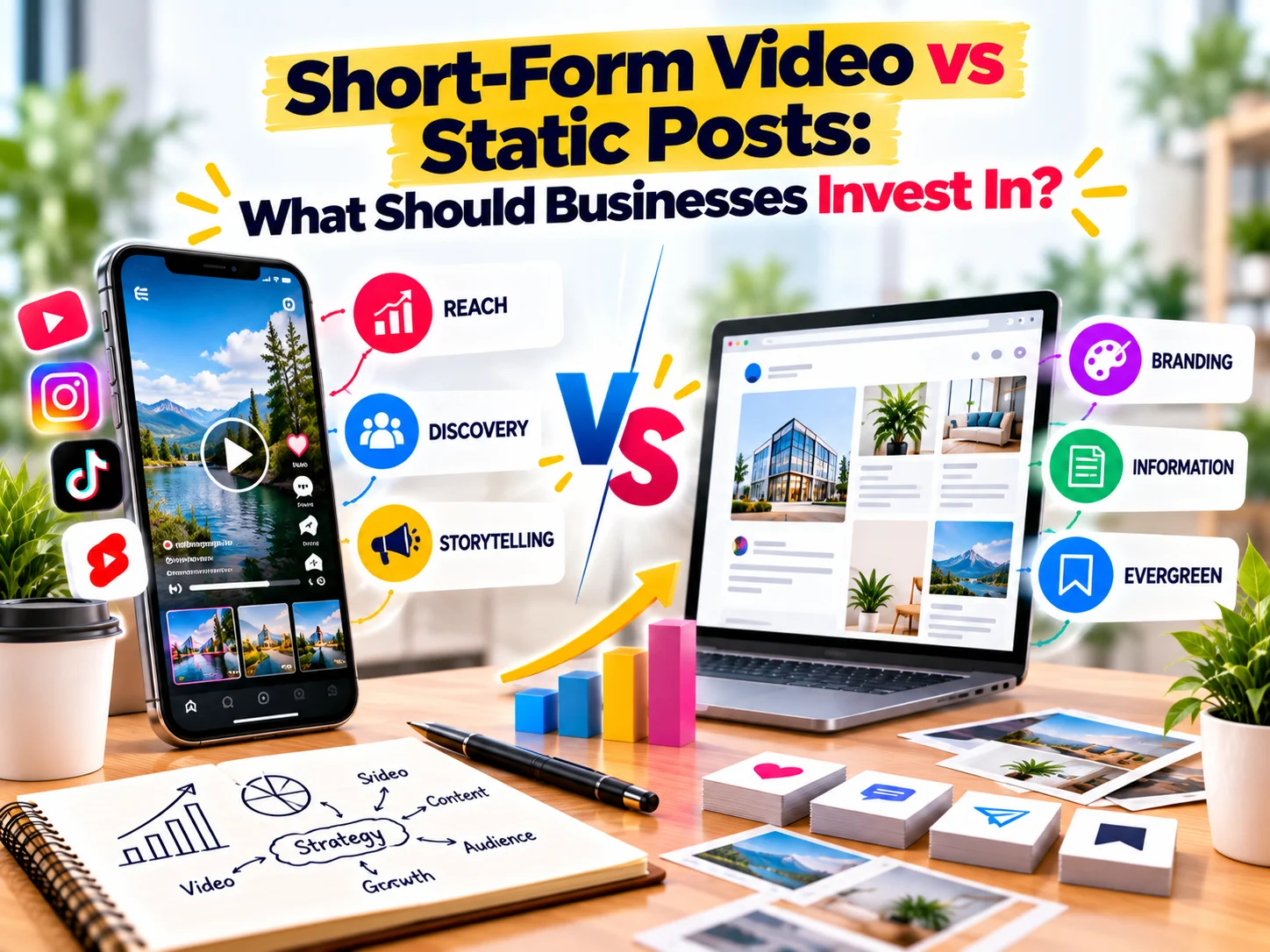
Short-Form Video vs Static Posts
The two formats serve different communication purposes.
Short-Form Video | Static Posts |
Uses movement and sound | Focuses on visual information |
Strong for demonstrations | Strong for quick information |
Can show personality | Can reinforce visual branding |
Useful for storytelling | Useful for reference content |
Requires filming or editing | Often faster to create |
Can demonstrate processes | Can present information clearly |
Works well for tutorials | Works well for tips and graphics |
Supports video-first campaigns | Supports consistent feed design |
Neither format works best for every business or every objective.
The key is choosing the right format for the message.
1. Choose Video When You Need to Demonstrate Something
Some ideas are easier to understand when people can see them in action.
For example:
- Product demonstrations
- Tutorials
- Before-and-after transformations
- Cooking processes
- Fitness exercises
- Design processes
- Software walkthroughs
- Manufacturing processes
- Event highlights
A video can show the complete process instead of describing every step with text.
If the message depends on movement, video often makes sense.
2. Choose Static Posts for Quick Information
Static posts work well when the audience needs to understand information quickly.
For example:
5 SEO mistakes to avoid
can work effectively as a graphic or carousel.
Likewise, businesses can use static content for:
- Checklists
- Tips
- Short statistics
- Definitions
- Service features
- FAQs
- Announcements
Users can quickly scan the content and save it for later.
3. Use Video to Show Your Brand Personality
People connect with people.
Video gives businesses an opportunity to show the faces, voices, personalities, and working processes behind the brand.
You can create videos featuring:
- Founders
- Team members
- Designers
- Consultants
- Customers
- Industry experts
For example, a founder can answer a common customer question in a 30-second video.
That content can feel more personal than a graphic containing the same information.
4. Use Static Content to Strengthen Visual Consistency
Static posts can play an important role in brand identity.
A well-designed social media system can use consistent:
- Colours
- Fonts
- Layouts
- Icons
- Photography
- Graphic elements
Over time, these visual patterns can make your content easier to recognise.
This becomes especially useful for businesses investing in brand identity and social media marketing.
5. Video Can Explain Complex Ideas
Some topics need more context.
A short video can combine:
Hook → Explanation → Example → CTA
For example:
Hook:
“Your website gets traffic but no enquiries?”
Explanation:
“Here are three reasons visitors may leave without contacting you.”
Example:
Show a website section or demonstrate a common mistake.
CTA:
“Review your website conversion journey before increasing your ad budget.”
This structure allows businesses to communicate an idea within a short format.
6. Static Posts Can Create Saveable Content
Not every piece of content needs to entertain.
Some content should help people remember useful information.
For example:
SEO Checklist for a New Website
could become a carousel with slides covering:
- Keyword research
- Page structure
- Meta titles
- Internal linking
- Image optimisation
- Technical SEO
- Analytics setup
Users can save the post and return to it later.
This makes static and carousel content useful for educational marketing.
7. Video Can Support Product Discovery
For product-based businesses, video can demonstrate how something looks, works, or feels.
You can create:
- Product demos
- Unboxing videos
- How-to videos
- Product comparisons
- Styling videos
- Customer reviews
- Behind-the-scenes videos
For example, a skincare company could show how to use a product as part of a simple daily routine.
This gives potential customers more context than a single product photograph.
8. Static Posts Can Support Product Communication
Static content remains useful for product marketing.
A product post can highlight:
- Product name
- Key benefits
- Features
- Ingredients
- Size
- Usage
- Pricing
- Availability
Carousel posts can expand this information across multiple slides.
Therefore, businesses can use video to attract attention and static content to provide supporting information.
9. Consider the Content Creation Cost
Video usually requires more production steps.
Depending on the format, you may need:
- Script
- Location
- Camera
- Lighting
- Audio
- Presenter
- Editing
- Captions
- Music
- Graphics
Static content may require fewer production resources.
You may only need:
- Copy
- Design
- Product image
- Brand assets
However, production requirements vary.
A simple smartphone video may take less time than a highly designed carousel.
Therefore, compare formats based on the actual resources required for your business.
10. Don’t Judge Content Only by Views
Views can provide useful information, but they do not tell the whole story.
A business should also monitor:
- Engagement
- Saves
- Shares
- Comments
- Profile visits
- Website clicks
- Leads
- Enquiries
- Sales
For example, a video may generate thousands of views but few enquiries.
A static educational post may receive fewer views but generate several website visits.
The second post may contribute more directly to the business objective.
Therefore, evaluate content based on the outcome you want.
11. Match the Format to the Marketing Funnel
Different content formats can support different stages of the customer journey.
Awareness
Short-form videos can introduce your brand to new audiences.
Examples:
- Quick tips
- Trends
- Educational videos
- Behind-the-scenes clips
- Entertaining content
Consideration
Static posts and videos can explain your expertise.
Examples:
- Comparisons
- FAQs
- Tutorials
- Case studies
- Product demonstrations
Conversion
Both formats can encourage action.
Examples:
- Product demonstrations
- Testimonials
- Offers
- Service explainers
- Client results
- Strong CTAs
Retention
Both formats can help existing customers.
Examples:
- Product tutorials
- Tips
- Updates
- FAQs
- Educational content
A balanced content strategy can therefore use different formats throughout the customer journey.
12. Turn One Idea Into Multiple Content Formats
You do not always need to create completely new ideas for every post.
Instead, repurpose one strong idea.
For example, a business creates a video:
“5 Website Mistakes That Reduce Leads”
You can turn it into:
- Short-form video
- Instagram carousel
- Static infographic
- LinkedIn post
- Blog article
- Email newsletter
- Story series
- Website FAQ
This approach allows businesses to get more value from every content idea.
It also creates consistency across different marketing channels.
13. Create a Content Mix Instead of Choosing One Format
A strong social media strategy can combine formats.
For example, a monthly content plan could include:
40% Short-Form Video
- Tips
- Tutorials
- Behind the scenes
- FAQs
- Product demonstrations
40% Static or Carousel Content
- Educational posts
- Infographics
- Checklists
- Testimonials
- Service information
20% Brand and Community Content
- Team content
- Company updates
- Customer stories
- Events
- Brand moments
These percentages are not a universal rule.
Adjust the mix according to your audience, resources, platform, and business goals.
14. Adapt Content to Each Platform
The same content does not need to look identical everywhere.
For example:
Focus on Reels, carousels, stories, and visually engaging posts.
YouTube
Use Shorts for quick content and longer videos when the topic requires more depth.
Use professional insights, case studies, educational posts, videos, and industry perspectives.
Use a combination of videos, images, community-focused content, and useful information.
The platform should influence how you present the idea.
15. Add Captions to Your Videos
Do not assume every viewer will watch a video with sound.
Add clear captions where appropriate.
Captions can help users understand the message when they:
- Watch without sound
- Browse in public
- Have hearing difficulties
- Miss spoken words
Also keep important information visible within the video.
A strong hook in the first few seconds can help communicate what the video is about.
16. Keep Your Brand Visible in Both Formats
Whether you create a video or static post, your brand should remain recognisable.
Use consistent:
- Logo treatment
- Colours
- Typography
- Tone
- Visual style
- Messaging
However, avoid overwhelming the content with branding.
The content should remain useful first.
The brand elements should support recognition without distracting from the message.
17. Test Different Formats
There is no universal formula for social media content.
Your audience may respond differently from another business’s audience.
Therefore, test different formats and topics.
For example, compare:
- Educational videos
- Product videos
- Talking-head videos
- Static tips
- Carousels
- Testimonials
- Behind-the-scenes content
Then review the results.
Look for patterns.
Which topics receive more saves?
Which formats generate more website visits?
Which posts generate enquiries?
Which videos hold attention?
Use these insights to refine your content strategy.
Common Mistakes Businesses Should Avoid
Posting Videos Without a Clear Message
A video may look professional but still fail to communicate a useful idea.
Start with the message before planning the production.
Creating Static Posts That Contain Too Much Text
Social media users often scan content quickly.
Keep each graphic focused on one main idea.
Chasing Every Trend
Not every trend suits every brand.
Use trends when they fit your audience and brand personality.
Ignoring Calls to Action
Tell users what they can do next.
For example:
- Visit the website
- Read the full guide
- Send an enquiry
- Save the post
- Share with your team
- Explore the product
Measuring Only Reach
Reach matters, but business results matter too.
Connect content metrics with meaningful goals such as traffic, enquiries, leads, and sales.
So, Should Businesses Invest in Short-Form Video or Static Posts?
The better question is:
What type of content will communicate your message most effectively?
Use short-form video when you want to demonstrate, entertain, explain, tell stories, or show personality.
Use static posts and carousels when you want to communicate information quickly, reinforce visual branding, provide checklists, or create saveable educational content.
For many businesses, the most practical approach is to combine both.
Create videos to capture attention.
Use static content to educate and reinforce your brand.
Then connect both formats to your website, SEO, lead generation, and broader marketing strategy.
Frequently Asked Questions
Q. Is short-form video better than static posts?
A. Neither format is universally better. The right choice depends on your content objective, audience, platform, resources, and business goals.
Q. Should small businesses invest in Reels?
A. Short-form videos can help small businesses demonstrate products, explain services, answer questions, and show personality. Start with formats that your team can produce consistently.
Q. Are static social media posts still effective?
A. Yes. Static posts and carousels remain useful for educational content, product information, branding, testimonials, checklists, and other information that users may want to save.
Q. How often should businesses post videos?
A. There is no universal posting frequency. Focus on a sustainable schedule that allows you to maintain quality and consistency.
Q. Can one content idea become both a video and a static post?
A. Absolutely. Repurposing one idea into multiple formats can help businesses extend the value of their content.
Q. What should businesses measure?
A. Track metrics such as engagement, saves, shares, profile visits, website clicks, leads, enquiries, and sales alongside reach and views.
Final Thoughts
Short-form video and static posts are not competitors that businesses must choose between.
They are different tools within a broader content strategy.
Video can bring movement, personality, demonstrations, and storytelling to your social media presence.
Static posts can deliver quick information, educational content, visual consistency, and saveable resources.
The most effective content strategy starts with the message, not the format.
Understand what your audience needs. Define your business objective. Then choose the format that communicates the idea clearly.
And when one idea can work in multiple formats, repurpose it.
That way, you can create a consistent content engine without constantly starting from scratch.
Build a Stronger Social Media Content Strategy With CreativeKatta
Creating social media content is not only about posting frequently.
CreativeKatta helps businesses develop stronger digital communication through social media marketing, video editing, creative design, brand identity, website development, SEO, Google Ads, and packaging design.
From short-form videos and social media creatives to a complete digital marketing strategy, we help businesses create content that looks consistent, communicates clearly, and supports their broader digital goals.
Need a content strategy for your business? Talk to CreativeKatta today.