
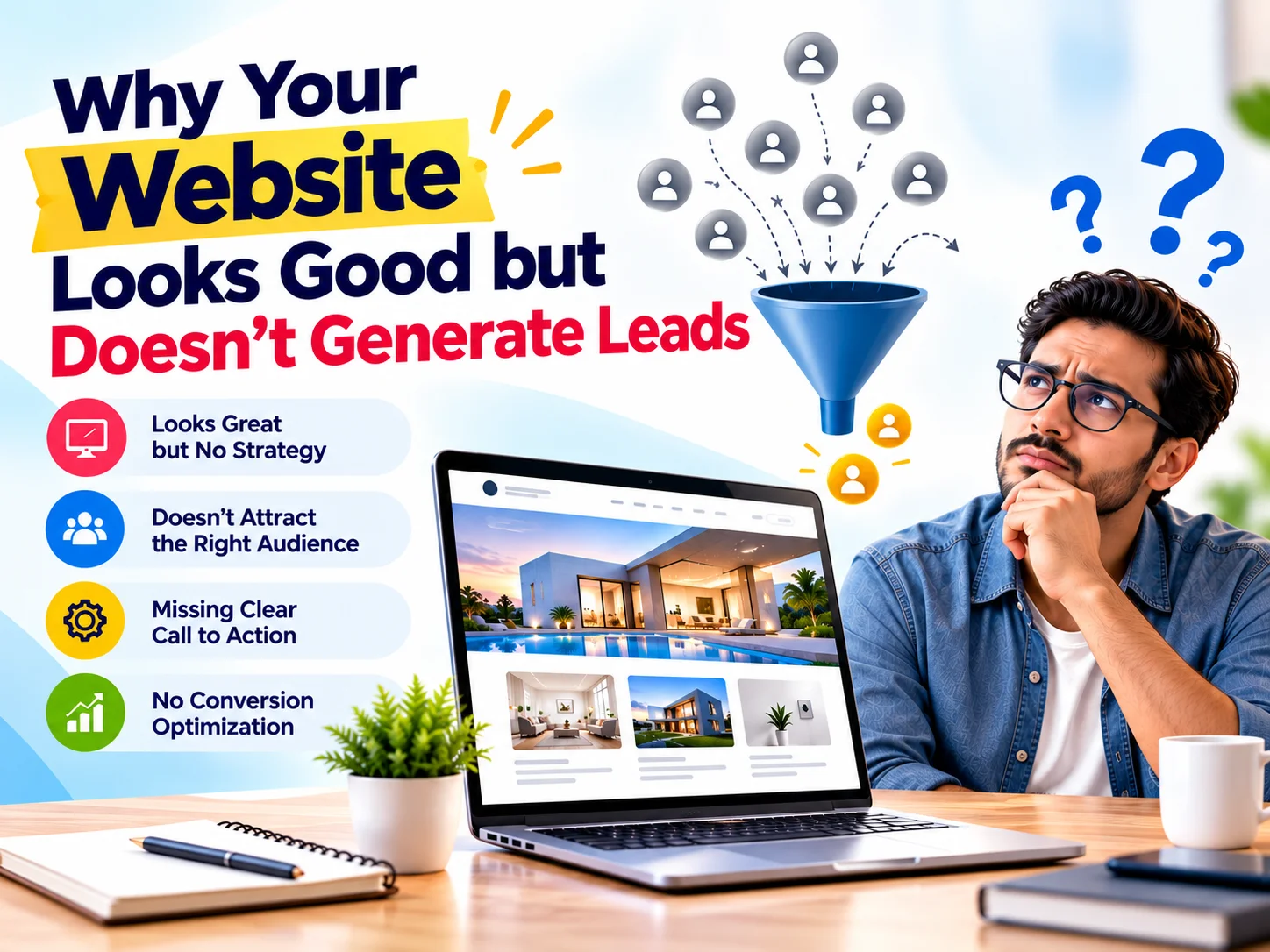
A professional website can create a great first impression. However, a good-looking website does not always generate leads.
Your website may have attractive visuals, smooth animations, modern fonts, and impressive images. Yet, if visitors leave without calling, filling out a form, sending a WhatsApp message, or requesting a quote, something needs to change.
So, why is your website not generating leads?
In most cases, the problem is not the design alone. Instead, it can come from unclear messaging, weak calls to action, poor user experience, slow loading speed, or a lack of trust signals.
A successful website should do more than look good. It should attract the right audience, answer their questions, build trust, and encourage them to take action.
What Makes a Website Generate Leads?
A lead-generating website guides visitors toward a specific action.
Depending on your business, that action could be:
- Calling your business
- Filling out a contact form
- Requesting a quote
- Booking a consultation
- Sending a WhatsApp enquiry
- Requesting a product demo
- Making an appointment
- Purchasing a product
Therefore, website success should not depend only on traffic.
Instead, focus on this journey:
Traffic → Engagement → Trust → Action → Lead
If visitors reach your website but do not move to the next step, your website needs conversion improvements.
1. Your Website Doesn’t Clearly Explain What You Offer
First, check your homepage headline.
Can a new visitor understand what your business does within a few seconds?
If the answer is no, you may lose potential customers.
For example, a headline such as:
“Creating Digital Experiences That Inspire”
sounds creative. However, it does not clearly explain the service.
A more specific headline could be:
“Website Development Company Helping Businesses Build High-Converting Websites.”
The second headline immediately explains the service and its value.
What your hero section should communicate
Your first screen should answer three simple questions:
- What do you offer?
- Who do you help?
- What should visitors do next?
As a result, visitors can understand your offer without searching through multiple sections.
2. Your Website Doesn’t Have a Strong Call to Action
Even when visitors like your website, they may not know what to do next.
This happens when the website lacks clear calls to action.
A CTA should guide visitors toward the next step.
For example:
- Get a Free Consultation
- Request a Quote
- Talk to an Expert
- Start Your Project
- Book a Consultation
- Get Project Pricing
Instead of using generic buttons such as “Learn More”, use action-oriented CTAs that explain what happens next.
For example:
Learn More → Get a Free Website Consultation
This small change can make your conversion path clearer.
3. Your Website Talks Too Much About Your Company
Your website should introduce your company. However, your content should also focus on your customer’s problems.
Many websites repeatedly use phrases such as:
We are a leading company.
We provide high-quality services.
We have experienced professionals.
These statements may sound professional. However, they do not always explain how the company can help the customer.
Instead, answer questions such as:
- What problem does your service solve?
- How can you help the customer?
- What results can they expect?
- Why should they choose your service?
- How does your process work?
Consequently, customer-focused content becomes more useful and persuasive.
4. Your Website Doesn’t Build Enough Trust
Visitors usually want proof before contacting a business.
Therefore, a professional design should work together with strong trust signals.
Consider adding:
- Client testimonials
- Google reviews
- Case studies
- Client logos
- Certifications
- Awards
- Portfolio projects
- Industry experience
- Project statistics
- Before-and-after examples
For instance, instead of simply saying:
“We have extensive experience.”
You could say:
“8+ Years of Experience | 500+ Websites | 200+ Brands”
Specific information gives visitors something concrete to evaluate.
5. Your Website Has Too Many Design Elements
Modern websites often use animations, sliders, videos, hover effects, popups, and interactive sections.
These elements can improve visual appeal. However, too many of them can distract visitors.
Your design should create a clear visual hierarchy.
Visitors should naturally notice:
Headline → Value Proposition → Benefits → Trust → CTA
Therefore, every design element should support the user’s journey.
If an animation distracts visitors from your CTA, consider simplifying it.
6. Your Contact Form Is Too Long
A complicated contact form can reduce enquiries.
For example, asking visitors to complete 12–15 fields before submitting an enquiry may create unnecessary friction.
Instead, start with essential information:
- Name
- Phone
- Company
- Requirement
You can collect additional information during the sales process.
Also, make your CTA more engaging.
Instead of:
Submit
try:
Let’s Discuss Your Project →
This tells visitors what happens after they click.
7. Your Website Loads Slowly
Website speed affects both user experience and conversions.
If a page takes too long to load, visitors may leave before they see your content.
Common causes include:
- Large images
- Unoptimized videos
- Too many plugins
- Heavy animations
- Unnecessary JavaScript
- Poor hosting
- Unoptimized fonts
- Lack of caching
Therefore, optimize your website regularly.
Compress images, use modern formats such as WebP, reduce unnecessary scripts, and enable caching.
A beautiful website should also be fast and easy to use.
8. Your Website Isn’t Mobile-Friendly
Today, many people browse websites using smartphones.
Therefore, a website that works well only on desktop can lose potential customers.
Check your website on different mobile devices.
Make sure:
- Text remains readable
- Buttons are easy to tap
- Forms work correctly
- Images resize properly
- Navigation remains simple
- CTAs remain visible
- Pages load quickly
Most importantly, don’t simply shrink the desktop design.
Instead, create a responsive experience that works naturally on smaller screens.
9. You’re Getting Traffic From the Wrong Keywords
More traffic does not automatically mean more leads.
For example, your website might attract visitors searching for general information. However, those visitors may not need your service.
Instead, target keywords that match your products or services and customer intent.
For example:
- Website development company in Bangalore
- SEO services for businesses
- Ecommerce website development
- PPC management services
- Corporate video production
- Social media marketing agency
These keywords can attract visitors who are closer to making a business enquiry.
Therefore, quality traffic matters more than traffic volume alone.
10. Your Website Doesn’t Address Customer Problems
People don’t search for services simply because they want a service.
Usually, they have a problem they want to solve.
For example:
Problem: My website receives visitors but no enquiries.
Solution: Conversion-focused website redesign.
Problem: My business doesn’t appear in Google searches.
Solution: SEO strategy and optimized website content.
Problem: My website looks outdated.
Solution: Modern responsive website redesign.
When your website addresses these problems directly, visitors can quickly see how your service fits their needs.
11. Your Website Has No Clear Conversion Journey
A strong website should guide visitors from their initial question to a clear action.
A simple conversion journey looks like this:
Problem
Identify the customer’s challenge.
↓
Solution
Explain how your service solves it.
↓
Benefits
Show the value of your solution.
↓
Proof
Add testimonials, case studies, reviews, or results.
↓
CTA
Give visitors a clear next step.
This structure helps visitors move through your website naturally.
12. Your Website Isn’t Optimized for SEO and AI Search
SEO has changed significantly.
Search engines and AI-powered search systems need clear, useful, and well-structured information.
Therefore, your website should include:
- Clear service pages
- Descriptive headings
- Helpful FAQs
- Relevant internal links
- Specific service information
- Location-based information where relevant
- Useful supporting content
- Structured data where appropriate
- Natural keyword usage
For example, don’t simply write:
“We offer SEO services.”
Instead, explain what the service does:
“SEO services help businesses improve organic search visibility, attract relevant visitors, and generate potential customers through search engines.”
Clear and specific content helps both users and search systems understand your services.
How to Make Your Website Generate More Leads
If your website looks good but generates few enquiries, start with these improvements.
- Improve Your Homepage Message : Clearly explain what you offer and who you serve.
- Strengthen Your CTA : Use specific, action-oriented buttons.
- Add Social Proof : Show reviews, testimonials, case studies, and client work.
- Simplify Your Forms : Ask only for information you actually need.
- Improve Website Speed : Optimize images, scripts, plugins, and other resources.
- Make Your Website Mobile-Friendly : Test every important page on smartphones and tablets.
- Create Customer-Focused Content : Talk about customer problems, solutions, benefits, and outcomes.
- Target the Right Keywords : Focus on keywords that match your audience and search intent.
- Track Conversions
Monitor:
- Form submissions
- Phone calls
- WhatsApp clicks
- CTA clicks
- Quote requests
- Consultation bookings
As a result, you can identify which pages generate leads and which pages need improvement.
Website Traffic vs Lead Generation
Website traffic is important. However, traffic alone does not guarantee business growth.
Consider this example:
Website | Monthly Visitors | Leads |
Website A | 10,000 | 25 |
Website B | 3,000 | 120 |
Website B receives fewer visitors. Yet, it generates more enquiries.
Therefore, the goal should not simply be more website traffic.
The goal should be:
Relevant Traffic + Strong User Experience + Clear CTA = More Lead Opportunities
What Is Conversion-Focused Website Design?
Conversion-focused website design combines:
- UI/UX design
- Website development
- SEO
- Content strategy
- User experience
- Calls to action
- Trust signals
- Website performance
Instead of designing a website only for appearance, you design each section with a purpose.
For example:
Hero section → Capture attention
Services → Explain the solution
Benefits → Show value
Portfolio → Demonstrate capability
Testimonials → Build trust
CTA → Encourage action
This approach creates a website that supports both branding and lead generation.
Frequently Asked Questions
Q. Why is my website getting traffic but no leads?
A. Your website may attract visitors but fail to convert them because of unclear messaging, weak CTAs, poor user experience, slow loading speed, limited trust signals, or irrelevant traffic.
Q. Does a beautiful website generate leads?
A. Not necessarily. Visual design creates a first impression, but lead generation also depends on messaging, SEO, user experience, trust, CTAs, performance, and conversion strategy.
Q. How can I increase website leads?
A. Start by improving your value proposition, CTAs, trust signals, mobile experience, website speed, contact forms, and content. Also, target keywords that match your ideal customer’s search intent.
Q. How important is website speed for lead generation?
A. Website speed is important because slow pages can create a poor user experience. Faster pages make it easier for visitors to explore your services and complete actions.
Q. Should I redesign my website if it isn’t generating leads?
A. A redesign may help, but first identify the actual problem. Your website may need better messaging, SEO, content, CTAs, UX, or performance rather than a complete visual redesign.
Q. What is the difference between website design and conversion-focused website design?
A. Traditional website design may focus mainly on appearance and usability. Conversion-focused design considers the complete customer journey and structures pages to encourage meaningful actions.
Final Thoughts
A website can look excellent and still generate very few leads.
The reason is simple: website design and website conversion are not the same thing.
Your website needs to attract the right visitors. Then, it needs to communicate your value clearly, build trust, answer important questions, and guide visitors toward action.
Therefore, when your website isn’t generating leads, don’t immediately focus on changing colors, fonts, or images.
First, look at the complete customer journey.
Can visitors understand your offer?
Can they trust your business?
Can they easily find the information they need?
Can they quickly contact you?
If the answer is no, your website has an opportunity for improvement.
Build a Website That Works for Your Business
At CreativeKatta, we combine website development, creative design, SEO, content, and digital strategy to create websites that support real business goals.
Whether you need a new website, website redesign, SEO-friendly website, landing page, or conversion-focused business website, our team can help you create a stronger digital presence.
Ready to turn your website into a better lead-generation tool?
Talk to CreativeKatta today.
Get in touch with CreativeKatta and let’s build a website that looks great, communicates clearly, and helps turn visitors into potential customers.