
Many businesses believe they need to post videos every day to stay visible on social media.
However, daily posting is not the only way to build a strong video presence. In fact, constantly creating new videos can quickly lead to creative burnout, inconsistent quality, and repetitive content.
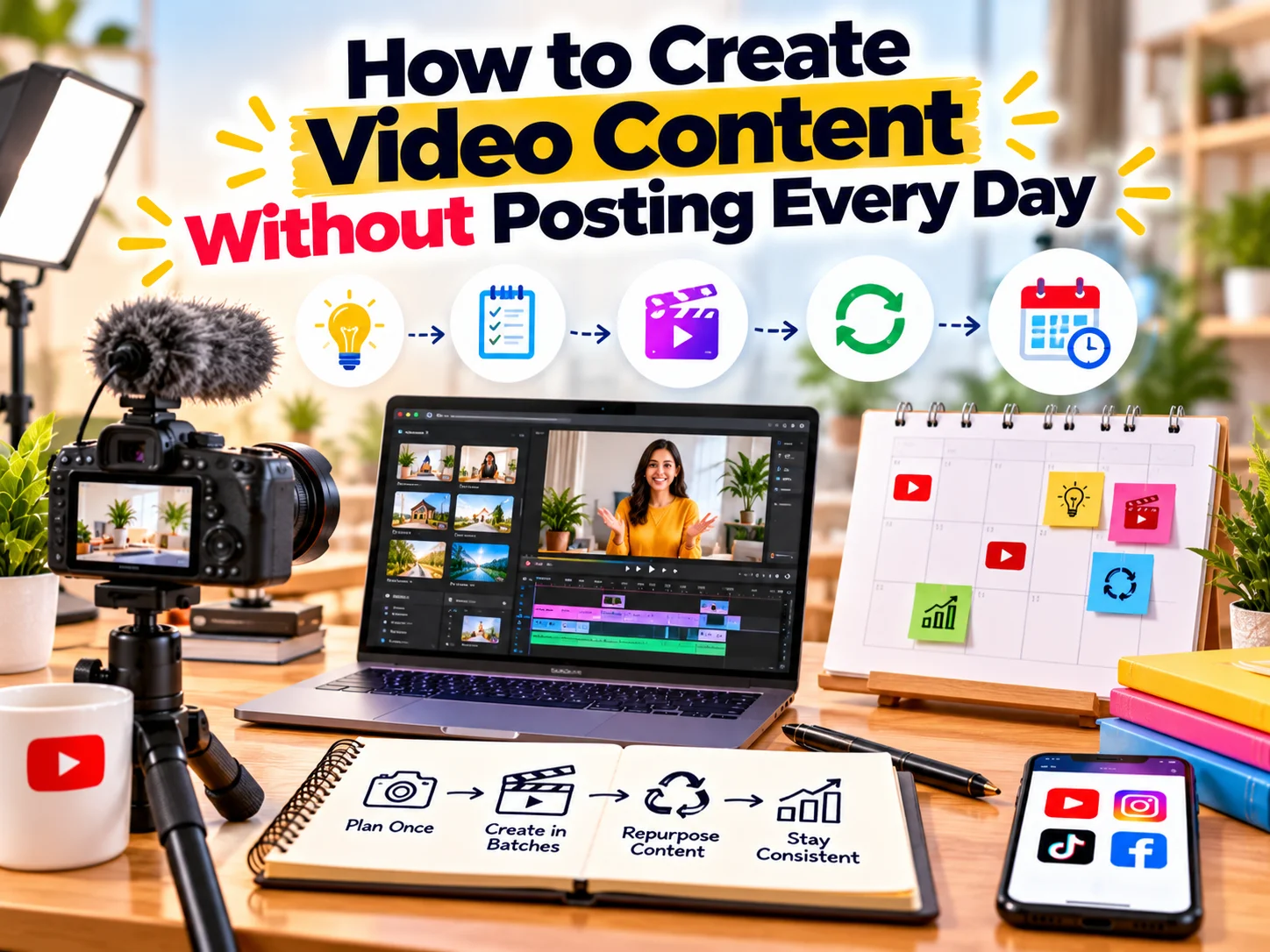
A better approach is to create more content from fewer production sessions.
With the right strategy, one video shoot can provide content for several days or even weeks. You can also turn one idea into multiple videos, clips, posts, stories, and other formats.
So, how can businesses create video content consistently without posting every day?
Let’s explore a practical video content strategy.
Why You Don't Need to Post Every Day
Social media success depends on more than posting frequency.
Your content needs to be relevant, useful, recognisable, and aligned with your audience. Therefore, posting one valuable video can be more useful than publishing several rushed videos.
Instead of asking:
“What should we post today?”
Ask:
“How can we get more content from this idea?”
This small change can completely improve your content workflow.
A structured approach allows you to:
- Plan content in advance
- Maintain consistent quality
- Reduce production time
- Reuse existing footage
- Create multiple content formats
- Avoid creative burnout
- Maintain a consistent brand presence
Start With a Monthly Video Content Plan
The easiest way to avoid daily content pressure is to plan your videos in advance.
Instead of creating content one day at a time, create a monthly list of topics.
For example, a business could plan 12 videos for one month around four content categories:
Content Category | Example |
Educational | Tips, guides and how-to videos |
Product/Service | Features, benefits and demonstrations |
Trust | Testimonials, case studies and behind-the-scenes |
Brand | Team, culture and company stories |
This gives you a clear direction before production starts.
More importantly, you don’t need 30 completely different ideas for 30 days.
You might only need 8–12 strong ideas and then repurpose them into different formats.
Use the One Video, Multiple Content Method
One of the most effective ways to reduce content production is to repurpose every video.
For example, imagine you create a 5-minute video titled:
“5 Website Mistakes That Cost Businesses Leads.”
That single video can become:
- A full YouTube video
- A 60-second Reel
- A short video about mistake #1
- A short video about mistake #2
- A short video about mistake #3
- A carousel explaining the mistakes
- A quote graphic
- A LinkedIn post
- An Instagram Story
- A blog article
Therefore, one topic can support your content calendar for several days.
The goal isn’t to post the exact same video everywhere. Instead, adapt the core idea to each platform and format.
Record Multiple Videos in One Session
You don’t need to set up your camera every day.
Instead, create a batch video production schedule.
For example, reserve one afternoon each month for recording.
During that session, record:
- 4 educational videos
- 2 product/service videos
- 2 customer-focused videos
- 2 FAQ videos
- 2 brand videos
You now have around 12 pieces of original video content from one production session.
This approach saves time because your camera, lighting, microphone, background, and other equipment are already set up.
It also helps maintain visual consistency.
Create Video Content Around Content Pillars
Content pillars make video planning much easier.
A content pillar is a broad topic that your brand regularly discusses.
For a digital marketing agency, for example, content pillars could include:
1. SEO
Create videos about:
- SEO mistakes
- Keyword research
- Local SEO
- Technical SEO
- Google Search updates
- Content optimisation
2. Website Development
You could discuss:
- Website design mistakes
- Landing page optimisation
- Website speed
- Mobile responsiveness
- Conversion-focused design
3. Social Media Marketing
Possible topics include:
- Content planning
- Reels strategy
- Social media mistakes
- Engagement strategies
- Content repurposing
4. Branding
You could create videos about:
- Logo design
- Brand identity
- Colour psychology
- Typography
- Brand consistency
5. Google Ads
You could explain:
- Campaign structure
- Keyword targeting
- Ad copy
- Landing pages
- Conversion tracking
Once you have your pillars, generating video ideas becomes much easier.
Turn One Topic Into a Video Series
Instead of trying to explain everything in one video, divide a large topic into smaller episodes.
For example:
Topic: How to Improve Website Conversions
You could create:
- Video 1: Why visitors leave your website
- Video 2: How your homepage affects conversions
- Video 3: Why your CTA matters
- Video 4: Common landing page mistakes
- Video 5: How to build trust on your website
Now one subject becomes a complete video series.
This also creates continuity between your posts.
You can end each video by introducing the next topic, encouraging viewers to follow the series.
Use FAQs as Video Ideas
Your customers already give you content ideas.
Every question they ask can potentially become a video.
For example:
Question: “How much does a website cost?”
Create:
Video: What Determines Website Development Cost?
Question: “How long does SEO take?”
Create:
Video: How Long Does SEO Usually Take?
Question: “Do I need Google Ads if I already do SEO?”
Create:
Video: SEO vs Google Ads: What’s the Difference?
This strategy works because you’re creating content around topics your audience already cares about.
Turn Customer Problems Into Videos
Another effective approach is to focus on problems instead of products.
Instead of saying:
“We provide SEO services.”
Create:
“Why Is Your Website Not Getting Organic Traffic?”
Instead of:
“We offer video editing.”
Create:
“5 Reasons Your Business Videos Look Unprofessional.”
Problem-focused topics usually create stronger opportunities for education and engagement.
They also allow your business to demonstrate expertise without making every video promotional.
Create Different Video Lengths From the Same Footage
You don’t always need completely new footage.
A long-form video can provide several shorter clips.
For example:
10-minute video
↓
3-minute educational video
↓
60-second Reel
↓
30-second tip
↓
15-second hook
↓
Story snippet
This creates a content ecosystem from a single recording.
However, each version should have a clear purpose. Don’t simply cut random sections from a longer video.
Build a Video Content Library
Over time, your business will create a large collection of useful footage.
Organise it properly.
Create folders such as:
- Brand Videos
- Product Videos
- Founder Videos
- Customer Testimonials
- Office Footage
- Behind the Scenes
- Educational Videos
- B-Roll
- Events
- Team Videos
You can also maintain a library of frequently used B-roll.
For example:
- Team working
- Product close-ups
- Website browsing
- Meetings
- Office shots
- Packaging
- Customer interactions
When you need a quick video, you can combine existing footage with new voiceovers, text, or graphics.
Don't Ignore B-Roll
B-roll can make your content more engaging without requiring a new talking-head video every time.
For example, if your topic is:
“Why Your Website Needs Mobile Optimisation”
You could combine:
- Website screen recordings
- Mobile browsing footage
- Keyboard shots
- Office footage
- Website animations
- Text overlays
- Voiceover
Therefore, you don’t always need to appear on camera.
A strong B-roll library can make regular video production much easier.
Use Voiceovers to Create More Content
Voiceover videos are another efficient format.
You can record the voice separately and combine it with:
- Stock footage
- Brand footage
- Screen recordings
- Product shots
- Animations
- Graphics
- B-roll
For example, a digital marketing agency could create a 30-second video explaining:
“3 Reasons Your Google Ads Campaign Isn’t Generating Leads.”
The voiceover can be recorded in one session while the visuals are assembled later.
This creates flexibility and reduces the pressure of recording yourself for every video.
Create a Reusable Video Template
Consistency becomes easier when you have a repeatable structure.
For example:
Hook → Problem → Insight → Solution → CTA
A 30-second video could follow this structure:
0–3 seconds: Attention-grabbing hook
3–10 seconds: Explain the problem
10–23 seconds: Give the solution
23–27 seconds: Summarise the key point
27–30 seconds: CTA
You can reuse this structure across multiple topics.
This doesn’t mean every video should look identical. Instead, the framework provides a reliable starting point.
Plan Content Around Your Customer Journey
Not every video needs to generate a direct enquiry.
Your content can support different stages of the customer journey.
Awareness
Create videos that introduce problems and useful insights.
Examples:
- “Why Your Website Isn’t Getting Leads”
- “3 Common Branding Mistakes”
Consideration
Explain solutions and demonstrate expertise.
Examples:
- “SEO vs Google Ads”
- “What Makes a High-Converting Website?”
Decision
Show proof and explain your services.
Examples:
- Client case studies
- Testimonials
- Before-and-after projects
- Process videos
Trust
Show the people behind your business.
Examples:
- Team videos
- Office tours
- Behind-the-scenes content
- Founder stories
This creates a balanced content strategy instead of a feed filled only with promotional videos.
Use a Weekly Posting Schedule
You don’t need to publish seven videos every week.
For example, a simple schedule could be:
Day | Content |
Monday | Educational video |
Wednesday | Short tip |
Friday | Service or case-study video |
Weekend | Story/BTS content |
That means you could publish only three main videos per week while maintaining a consistent presence.
The exact frequency should depend on your audience, resources, platform, and business goals.
Repurpose Older Videos
Your old content doesn’t automatically become useless.
If a previous video contains useful information, you can refresh it.
For example:
Original:
“5 SEO Tips for Small Businesses”
New version:
“5 SEO Mistakes Small Businesses Still Make”
You can also:
- Add new statistics
- Update examples
- Change the introduction
- Create a shorter version
- Add new visuals
- Create a follow-up
- Turn it into a carousel
- Create a FAQ video
This gives your best ideas another opportunity to reach your audience.
Track What Actually Works
Instead of focusing only on how often you post, monitor the quality of your results.
Track metrics such as:
- Views
- Watch time
- Engagement
- Shares
- Saves
- Profile visits
- Website clicks
- Leads
- Enquiries
For example, if educational videos consistently generate more saves and enquiries than generic promotional videos, you can create more educational content.
In this way, your content strategy becomes data-informed rather than based purely on posting frequency.
Common Video Content Mistakes
Posting Just for the Sake of Posting
More content doesn’t automatically mean better results.
Focus on relevance and usefulness.
Creating Every Video From Scratch
This increases production time unnecessarily.
Instead, batch production and repurpose existing footage.
Making Every Video Promotional
People don’t want every post to feel like an advertisement.
Balance promotional videos with educational, entertaining, and trust-building content.
Ignoring Your Best Performing Topics
If a topic performs well, explore it further.
Create follow-up videos, FAQs, examples, and deeper explanations.
Focusing Only on Views
Views provide useful information, but they don’t tell the whole story.
A video with fewer views can still generate valuable enquiries.
A Simple Monthly Video Workflow
Here is a practical workflow you can use.
Week 1: Research
Find:
- Customer questions
- Common problems
- Industry topics
- Frequently searched subjects
- Previous high-performing content
Week 2: Plan
Select 8–12 video topics.
Write short scripts or talking points for each.
Week 3: Production
Record several videos in one session.
Capture additional B-roll while you’re already set up.
Week 4: Editing and Repurposing
Create:
- Short videos
- Reels
- Stories
- Graphics
- Captions
- Blog content
Then schedule your content.
This system can reduce daily content pressure significantly.
The 1-to-10 Video Content Framework
A simple framework for businesses is:
1 Core Idea
↓
1 Long-Form Video
↓
3 Short Videos
↓
3 Social Clips
↓
1 Carousel
↓
1 Blog
↓
1 Email/LinkedIn Post
One strong idea can therefore become a complete content campaign.
The exact number will vary depending on the topic and platform. However, the principle remains the same: create once and repurpose strategically.
How CreativeKatta Can Help
Consistent video marketing doesn’t have to mean recording something new every day.
At CreativeKatta, we help businesses turn ideas, products, services, and brand stories into strategic video content.
From video editing and social media creatives to content planning and digital marketing, the goal is to create content that supports your broader business objectives.
Whether you need short-form videos, promotional videos, social media content, or repurposed content, a structured production system can help you stay consistent without constantly starting from zero.
Final Thoughts
You don’t need to post a new video every day to build a strong social media presence.
Instead, focus on creating better ideas, batch-producing content, and repurposing each piece strategically.
Plan your topics. Record multiple videos together. Build a content library. Reuse your best ideas. Then distribute your content consistently.
Most importantly, measure what actually contributes to your business goals.
The real objective isn’t to create more videos.
It’s to get more value from every video you create.
Ready to Create More Content From Every Shoot?
Talk to CreativeKatta about video editing, social media content and digital marketing solutions for your business.