
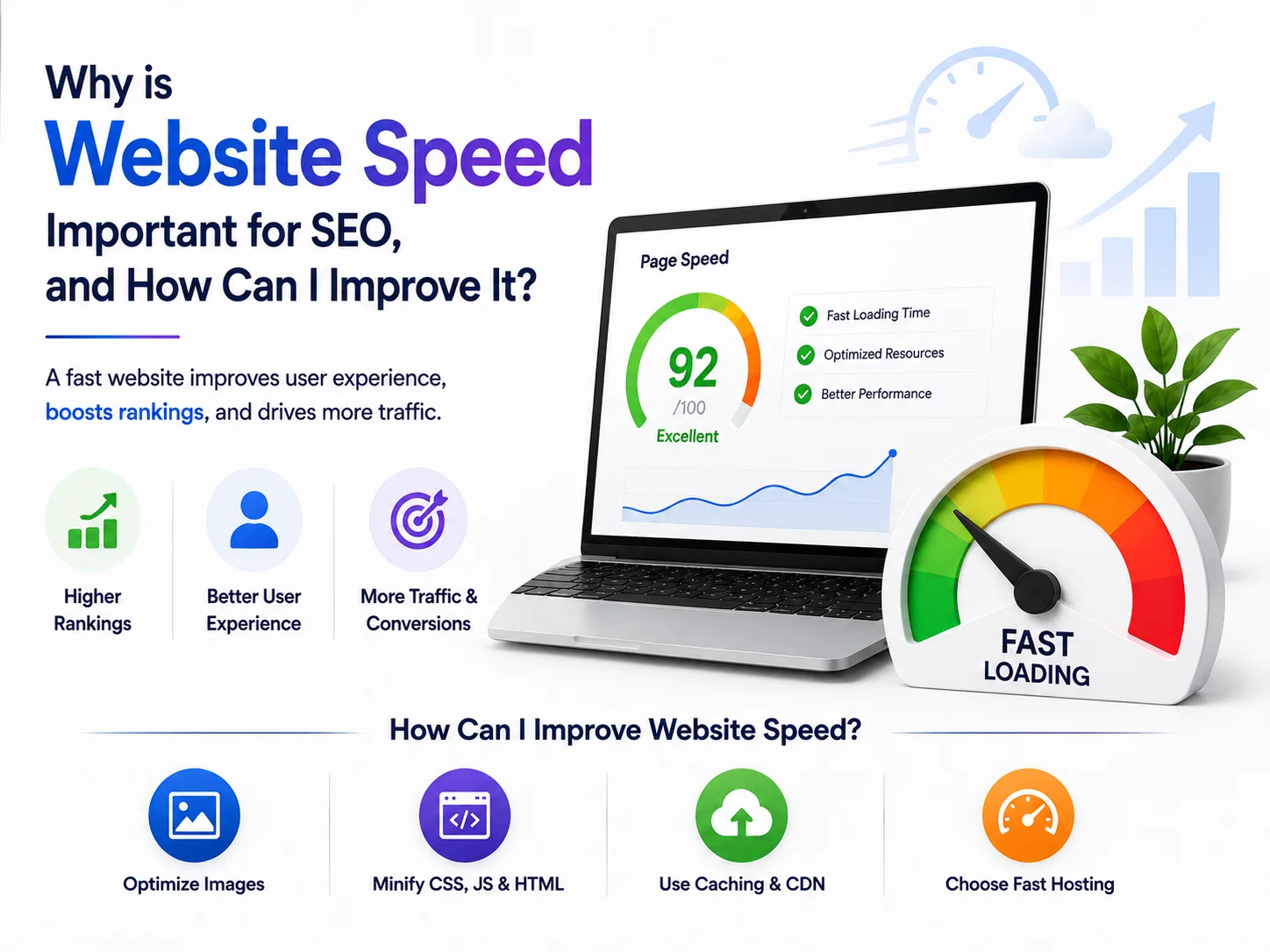
Speed shapes your online success today. So, whether you run an e-commerce store, a blog, or a corporate site, how fast your pages load affects both user experience and search visibility.
Because of this, understanding why speed matters, and how to improve it, genuinely pays off. Below, here’s exactly why website speed matters for SEO, and nine practical ways to speed things up.
Why Is Website Speed Crucial for SEO?
1. Google Treats Speed as a Ranking Factor
First, Google factors page speed into rankings, for both desktop and mobile searches. So, faster websites offer a better experience, and search engines reward that with improved visibility.
2. It Enhances User Experience
Next, a slow-loading site frustrates visitors fast. So, when a page takes longer than three seconds to load, many users simply leave.
Therefore, faster websites keep visitors engaged. This way, speed directly supports stronger conversion rates too.
3. It Lowers Bounce Rate
Meanwhile, bounce rate measures how many visitors leave after viewing just one page. So, slow sites typically see higher bounce rates.
Consequently, this signals to search engines that a site may not serve users well, which can hurt rankings further.
4. It Boosts Mobile-Friendliness
However, with mobile-first indexing now standard, Google prioritizes mobile-friendly sites heavily. So, since mobile users often deal with slower connections, a fast-loading mobile site matters enormously for rankings and retention.
5. It Improves Conversion Rates
Finally, speed directly impacts sales, especially for e-commerce. So, research shows a one-second delay can reduce conversions by around 7%.
Therefore, a faster website genuinely means more satisfied customers, and more completed purchases.
How to Improve Website Speed
1. Optimize Your Images
First, large image files slow sites down significantly. So, use compressed formats like WebP, and tools like TinyPNG or ShortPixel to shrink file sizes.
Additionally, implement lazy loading, so images load only when visitors actually scroll to them.
2. Use a Content Delivery Network
Next, a CDN distributes your content across servers worldwide. So, this reduces latency, and speeds up load times for visitors in different locations.
3. Enable Browser Caching
Meanwhile, browser caching stores parts of your site in a visitor’s browser. So, return visits load faster, since the browser doesn’t need to reload everything from scratch.
4. Minify CSS, JavaScript, and HTML
However, unnecessary characters and spaces in your code add up. So, tools like MinifyCSS and JSCompress strip that excess automatically, shrinking file sizes and speeding up loading.
5. Improve Server Response Time
Now, a slow server delays everything else. So, choose a reliable hosting provider, consider upgrading your plan, and optimize database queries to speed up response times.
6. Consider Accelerated Mobile Pages
Additionally, AMP, a Google-backed framework, creates lightweight pages that load fast on mobile. So, adopting AMP can genuinely boost mobile SEO and user experience together.
7. Minimize Redirects
Meanwhile, every redirect adds loading time. So, reduce unnecessary redirects, and keep your site structure clean to avoid unnecessary delays.
8. Enable Gzip Compression
Additionally, Gzip compresses your files before sending them to the browser. So, this significantly reduces file size, and speeds up page loading.
9. Monitor Performance Regularly
Finally, don’t set it and forget it. Instead, use tools like Google PageSpeed Insights, GTmetrix, or Lighthouse regularly, to track performance and catch issues early.
Bringing It All Together
Ultimately, website speed plays a genuinely vital role in both SEO and user experience. So, a slow site can hurt rankings, raise bounce rates, and reduce conversions.
Therefore, by applying these best practices, you improve performance, boost search visibility, and create a smoother experience for every visitor.
Ready to Speed Up Your Website?
If your website needs a real performance boost, CreativeKatta offers professional web development and SEO services designed to make your site faster and more discoverable.
Contact CreativeKatta today, and let’s get your website running at full speed.
Frequently Asked Questions
Q: How much does website speed actually affect SEO rankings? A: Significantly. Because Google treats speed as a direct ranking factor, slow-loading sites often struggle to rank as well as faster competitors.
Q: What’s the easiest first step to improve website speed? A: Optimizing images. Because large, uncompressed images are a common cause of slow loading, compressing them often delivers the quickest visible improvement.
Q: How often should I test my website’s speed? A: Regularly, ideally monthly. So, ongoing monitoring with tools like PageSpeed Insights helps catch new slowdowns before they affect rankings or conversions.