
Creating fresh content every day can be time-consuming. However, businesses do not always need to create something completely new for every platform.
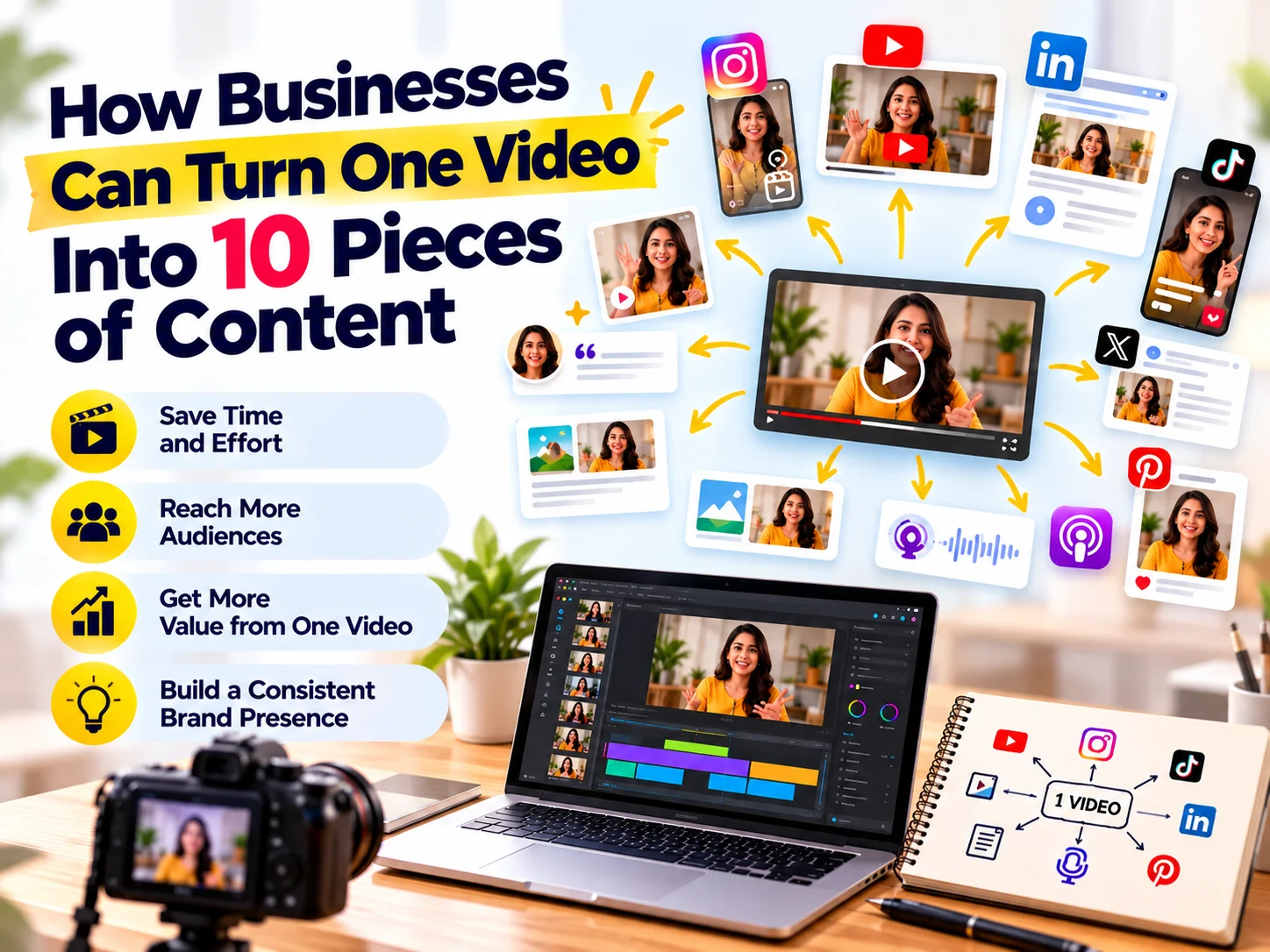
One well-planned video can become 10 or more pieces of content across your website, social media channels, email marketing, and other platforms.
This approach is called content repurposing. It helps businesses get more value from their video production while maintaining a consistent online presence.
In this guide, we explain how to turn one video into multiple content formats and build a more efficient content marketing strategy.
What Is Content Repurposing?
Content repurposing means taking an existing piece of content and adapting it into different formats or for different platforms.
For example, a 10-minute business video can become:
- Short-form videos
- Instagram Reels
- LinkedIn posts
- Blog content
- Quote graphics
- Infographics
- Email content
- Website content
- YouTube Shorts
- Social media carousels
Instead of starting from zero each time, your business can use the same core idea in several ways.
As a result, your content team can save time while reaching people who prefer different types of content.
Why Should Businesses Repurpose Video Content?
Video takes planning, scripting, recording, editing, and publishing. Therefore, using a video only once can limit its value.
Content repurposing allows businesses to extend the life of every video.
1. Save Time
Creating 10 separate content ideas requires significant time and resources.
Instead, you can start with one strong video and develop several supporting assets from it.
2. Reach Different Audiences
Not everyone consumes content in the same way.
Some people prefer YouTube videos, while others prefer short videos, blogs, LinkedIn posts, or visual carousels.
Repurposing allows the same message to reach different audience segments.
3. Maintain Consistency
Regular content helps businesses remain visible.
However, consistency does not mean creating completely original content every day.
A repurposing strategy makes it easier to maintain a regular publishing schedule.
4. Strengthen Your Core Message
Repeating an important business message in different formats can improve message recall.
For example, a company explaining its website development process can communicate the same idea through a video, blog, carousel, Reel, and infographic.
Each format can highlight a different part of the topic.
How to Turn One Video Into 10 Pieces of Content
Suppose your business creates a video titled:
“5 Website Mistakes That Can Cost Your Business Leads.”
Here is how you can turn that single video into 10 content assets.
1. Create the Main YouTube Video
Start with the original long-form video.
This becomes your primary content asset.
For example, a 6–10 minute video can explain each website mistake, provide examples, and offer practical solutions.
Make the video useful enough to stand on its own.
Then, use the other content formats to drive viewers back to the main video or your website.
2. Create 3 Short-Form Videos
A long video usually contains several smaller ideas.
Therefore, identify three strong sections and turn them into short-form videos.
For example:
Short Video 1:
“Your homepage may be losing customers because of this mistake.”
Short Video 2:
“Why a confusing CTA can reduce website enquiries.”
Short Video 3:
“Is your website mobile-friendly enough?”
Each short video should have its own hook and conclusion.
You can publish these as Instagram Reels, YouTube Shorts, Facebook videos, or LinkedIn videos.
3. Write a Blog Article
Your video can also become a detailed SEO-focused blog post.
Expand the main points with examples, explanations, statistics where appropriate, and practical tips.
For example:
Blog title:
“5 Website Mistakes That Can Cost Your Business Leads”
The blog can target relevant search queries while also giving visitors another way to consume the information.
4. Create a LinkedIn Post
Turn one important insight from the video into a LinkedIn post.
For example:
Hook:
“Your website can look professional and still lose potential customers.”
Then explain one common mistake and provide a simple solution.
Finally, invite readers to watch the full video or read the complete blog.
5. Create an Instagram Carousel
A carousel can break the video into easy-to-scan slides.
For example:
Slide 1:
5 Website Mistakes That Cost You Leads
Slide 2:
Mistake #1 – Unclear messaging
Slide 3:
Mistake #2 – Weak CTA
Slide 4:
Mistake #3 – Poor mobile experience
Slide 5:
Mistake #4 – Slow loading speed
Slide 6:
Mistake #5 – Too much information
Slide 7:
Want a website designed for conversions? Take the next step.
This format works particularly well for educational content.
6. Create Quote Graphics
Your video may contain several useful statements.
Turn those statements into branded graphics.
For example:
“A beautiful website is not enough. Your website also needs to guide visitors toward action.”
Use your brand colours, typography, and visual style to make the graphic instantly recognisable.
7. Create an Infographic
Combine the main points into a visual summary.
For example:
5 Website Problems That Affect Lead Generation
- Unclear messaging
- Weak calls to action
- Slow loading speed
- Poor mobile experience
- Complicated navigation
An infographic can be used on your website, social media, presentations, or email campaigns.
8. Turn the Video Into an Email
Your video can also become part of your email marketing strategy.
Write a short email around one key lesson from the video.
For example:
Subject: Is your website costing you leads?
Start with the problem, explain one common mistake, and then direct readers to the full video or blog.
This gives your existing audience another reason to engage with your content.
9. Create a FAQ Section
Your video probably answers several questions your customers ask.
Turn those questions into an FAQ section.
For example:
What makes a website conversion-friendly?
A conversion-friendly website clearly communicates its value, provides easy navigation, builds trust, and uses relevant calls to action.
Why is mobile optimization important for business websites?
A large portion of website visitors may access a site through mobile devices. Therefore, businesses should ensure that pages, forms, buttons, images, and content work well on smaller screens.
FAQ content can also help search engines and AI systems understand the questions your business answers.
10. Create Additional Social Media Posts
Finally, extract smaller insights from the video and turn them into individual social posts.
You can create posts around:
- Common mistakes
- Quick tips
- Industry insights
- Customer questions
- Myths and misconceptions
- Before-and-after examples
- Practical checklists
- Statistics or research findings
One video can therefore support your social media calendar for several days or even weeks.
One Video, 10 Content Assets: Example
Here is a simple repurposing workflow:
Original Video | Repurposed Content |
1 long-form video | YouTube video |
Video section 1 | Short-form video |
Video section 2 | Short-form video |
Video section 3 | Short-form video |
Main topic | SEO blog |
Key insight | LinkedIn post |
Main points | Instagram carousel |
Key quote | Quote graphic |
Main lessons | Infographic |
Customer questions | FAQ + email content |
The exact number can vary depending on the topic and length of the original video.
However, the principle remains the same: create once, distribute strategically.
How to Make Video Repurposing More Effective
Repurposing works best when you plan for it before recording the original video.
Start With One Strong Topic
Choose a topic that contains several useful subtopics.
Instead of creating a video around a very narrow idea, select a topic that allows you to answer multiple related questions.
Structure the Video Into Sections
Break the video into clear sections.
For example:
- The problem
- Why it matters
- Common mistakes
- Practical solutions
- Examples
- Final takeaway
Each section can potentially become a separate content asset.
Create Strong Hooks
Short-form content needs a strong opening.
Instead of starting with a long introduction, get to the main point quickly.
For example:
Weak opening:
“Today we are going to talk about websites and some common mistakes.”
Stronger opening:
“Your website could be losing leads without you realising it.”
The second version creates curiosity and communicates the problem immediately.
Add Captions and Subtitles
Many people watch short videos without sound.
Therefore, captions can make your video content easier to understand and more accessible.
Keep Your Brand Consistent
Your repurposed content should look and feel connected.
Use consistent:
- Colours
- Fonts
- Logo placement
- Visual elements
- Tone of voice
- Design style
This helps build stronger brand recognition across platforms.
How AI Can Support Content Repurposing
AI tools can make the repurposing process faster.
For example, businesses can use AI to help:
- Identify key topics from a video transcript
- Generate content ideas
- Create social media captions
- Summarise long videos
- Identify frequently asked questions
- Suggest blog headings
- Turn discussions into content outlines
- Find potential short-video clips
However, AI-generated content should still be reviewed and improved by humans.
Add your company’s experience, examples, expertise, and brand voice. This makes the final content more useful and authentic.
Content Repurposing and SEO
Repurposing can also support your SEO strategy when each piece serves a clear purpose.
For example, your main video can explain a topic in depth. Then, your blog can target related search queries, while social posts help distribute the content.
You can also create supporting pages around related customer questions.
However, avoid publishing the exact same content everywhere.
Instead, adapt the message to the platform and search intent.
For example:
Google search:
Detailed, informative blog content
YouTube:
Visual explanation
Instagram:
Short, engaging visual content
LinkedIn:
Professional insight
Email:
Direct advice for existing customers
This creates a connected content ecosystem.
A Simple Content Repurposing Workflow
Businesses can follow this five-step process:
Step 1: Choose a Core Topic
Start with a topic that answers an important customer question.
Step 2: Record One High-Quality Video
Create a detailed video that covers the topic from multiple angles.
Step 3: Create a Transcript
Use the transcript to identify important statements, questions, examples, and sections.
Step 4: Adapt the Content
Turn those sections into blogs, Reels, carousels, graphics, emails, and social posts.
Step 5: Distribute and Measure
Publish each format on the platform where it makes the most sense.
Then monitor views, engagement, clicks, leads, and conversions.
How Many Pieces of Content Can One Video Create?
There is no fixed number.
A short educational video might produce five useful assets. A detailed webinar, interview, podcast, or presentation could produce dozens.
The goal should not be to reach an arbitrary number.
Instead, focus on creating useful variations of the original idea for different audiences, platforms, and stages of the customer journey.
Common Content Repurposing Mistakes
Copying the Same Content Everywhere
Different platforms have different audiences and formats.
Adapt the content instead of simply copying and pasting it.
Focusing Only on Quantity
More content does not automatically mean better results.
Quality, relevance, consistency, and distribution still matter.
Removing the Original Context
A short video should make sense even when someone has never seen the original video.
Therefore, provide enough context for each individual piece.
Ignoring Your Brand Identity
Random templates and inconsistent visuals can weaken brand recognition.
Keep your design system consistent across every format.
Forgetting the CTA
Every piece of content does not need a sales pitch.
However, relevant content should guide the audience toward an appropriate next step, such as reading a blog, watching a video, visiting a service page, or contacting your business.
Frequently Asked Questions
What is video content repurposing?
Video content repurposing is the process of converting one video into multiple content formats, such as blogs, Reels, social posts, carousels, emails, and graphics.
Can one video really create 10 pieces of content?
Yes. A well-structured video can provide enough information for multiple content formats. The exact number depends on the video’s length, topic, and depth.
Is content repurposing good for small businesses?
Yes. It can help small businesses maintain a consistent content presence without creating every piece from scratch.
Can AI help repurpose video content?
Yes. AI can help identify topics, summarise transcripts, generate content ideas, and create initial drafts. Human editing remains important for accuracy, originality, and brand voice.
Should the same content be posted on every platform?
Not exactly. The core message can remain the same, but the format, length, hook, caption, and CTA should be adapted to each platform.
How often should businesses repurpose content?
There is no universal frequency. A practical approach is to create a strong core asset and distribute its supporting content over several days or weeks.
Final Takeaway
Creating content does not always mean starting from a blank page.
A single well-planned video can become a blog, short videos, social posts, carousel, infographic, email, FAQ, and several other content assets.
The key is to think beyond the original video.
Instead of asking, “What should we post today?”, ask:
“How many useful pieces of content can we create from what we already know?”
With the right strategy, video production can become the foundation of a much larger content marketing system.
Need Help With Video Content and Digital Marketing?
CreativeKatta helps businesses combine video editing, creative design, social media marketing, website development, SEO, brand identity, and digital marketing into a connected content strategy.
From one powerful video to multiple platform-ready content assets, the right strategy can help your brand stay consistent, visible, and relevant.
Ready to get more from your content? Contact CreativeKatta to plan your next video and content repurposing strategy.